I built an app for the work after the call.
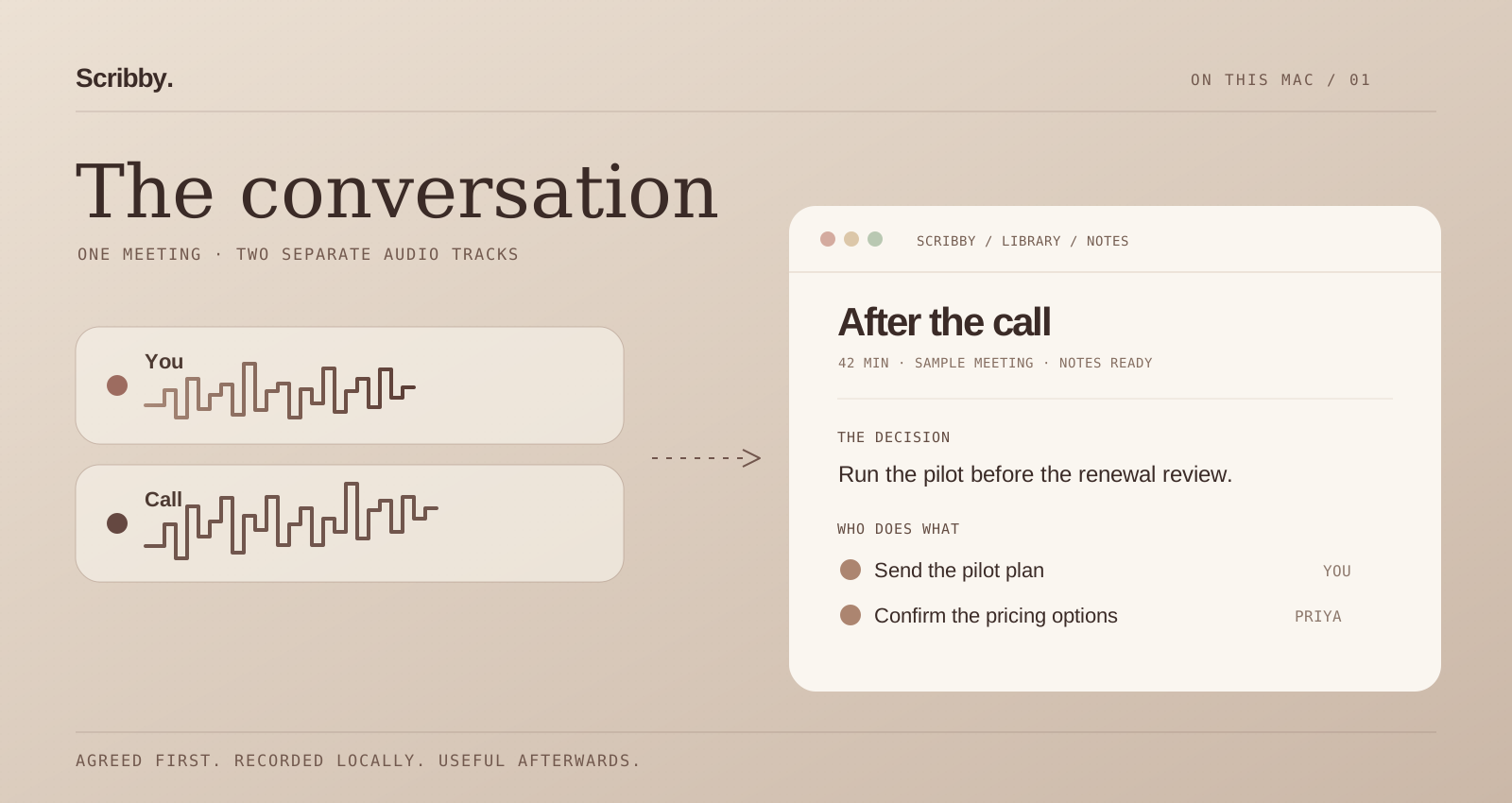
Scribby is the first app I've built. I used Claude Design to explore how it should look and behave, then Claude in OpenCode to write much of the code. A few days later I had something I could use on my own calls. That still feels slightly absurd. It began with a familiar annoyance: the call ended, the recording was there, and I still had to piece together the useful bits myself.
01 / Why
A recording isn't a write-up.
Zoom and Teams can record a meeting, and they both offer summaries. I still find myself doing the real follow-up afterwards: checking who agreed to what, putting an owner beside an action, and digging through the call when I need the exact wording. Sometimes the recording exists, but that is where the useful work starts.
There are dedicated meeting assistants too. Granola is one example, and there are plenty of others. I can see why people use them. But in customer conversations, uploading another copy of the audio or transcript to a service is a decision, not a default. I wanted a version that worked on my own Mac and did not add a bot to the meeting.
That became Scribby. It is a small, still-young Mac app built around a very ordinary hope: finish the call, check a useful note, and get on with the work.
“What did we actually decide?” should not require listening to the whole meeting again.
02 / The boundary
First, everyone knows.
Keeping processing local does not make recording a private decision. People on the call need to know that it is happening and why. In some customer meetings recording has already been agreed upfront, so I can let Scribby start with the call. Otherwise I ask on the call and start it myself only after we have agreed. If recording is not appropriate, I leave it off.
That is how I use Scribby, not a claim that running an app on a laptop removes data-protection obligations. The Irish Data Protection Commission's transparency guidance explains why people must be told how their data is being used; its guidance also distinguishes consent from other possible lawful bases.
The local choice matters after that conversation. The audio and notes can stay on the Mac instead of being sent to another transcription or AI service. If I later email or share the notes, that is a separate, deliberate step.
03 / The write-up
What it does while I get on with my day.
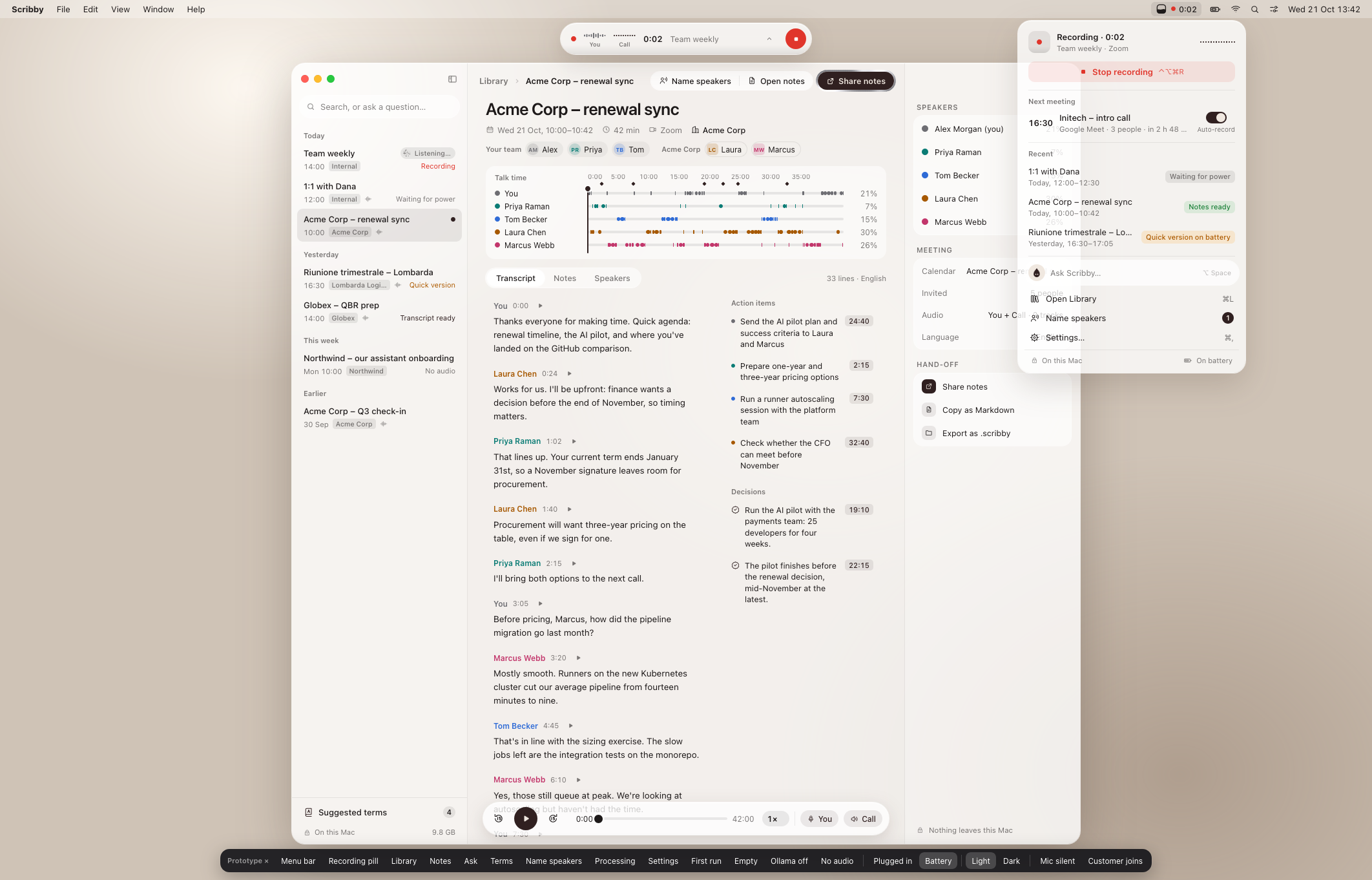
Scribby captures my microphone and the Mac's call audio as separate tracks. That sounds like a small detail, but it gives the rest of the system a cleaner starting point: my voice is already distinct from the people on the other side. When the call ends, the app transcribes it, works out who spoke when, and drafts a summary, decisions, open questions and action items with owners.
Speaker names can come from the calendar invite, from voices Scribby has learned, or from people addressing each other. It will not always get them right. I can correct a name, listen back at a timestamp, and decide what the final note should say. The transcript is evidence; the generated note is a draft I can inspect.
The workflow is local until I choose a hand-off destination.
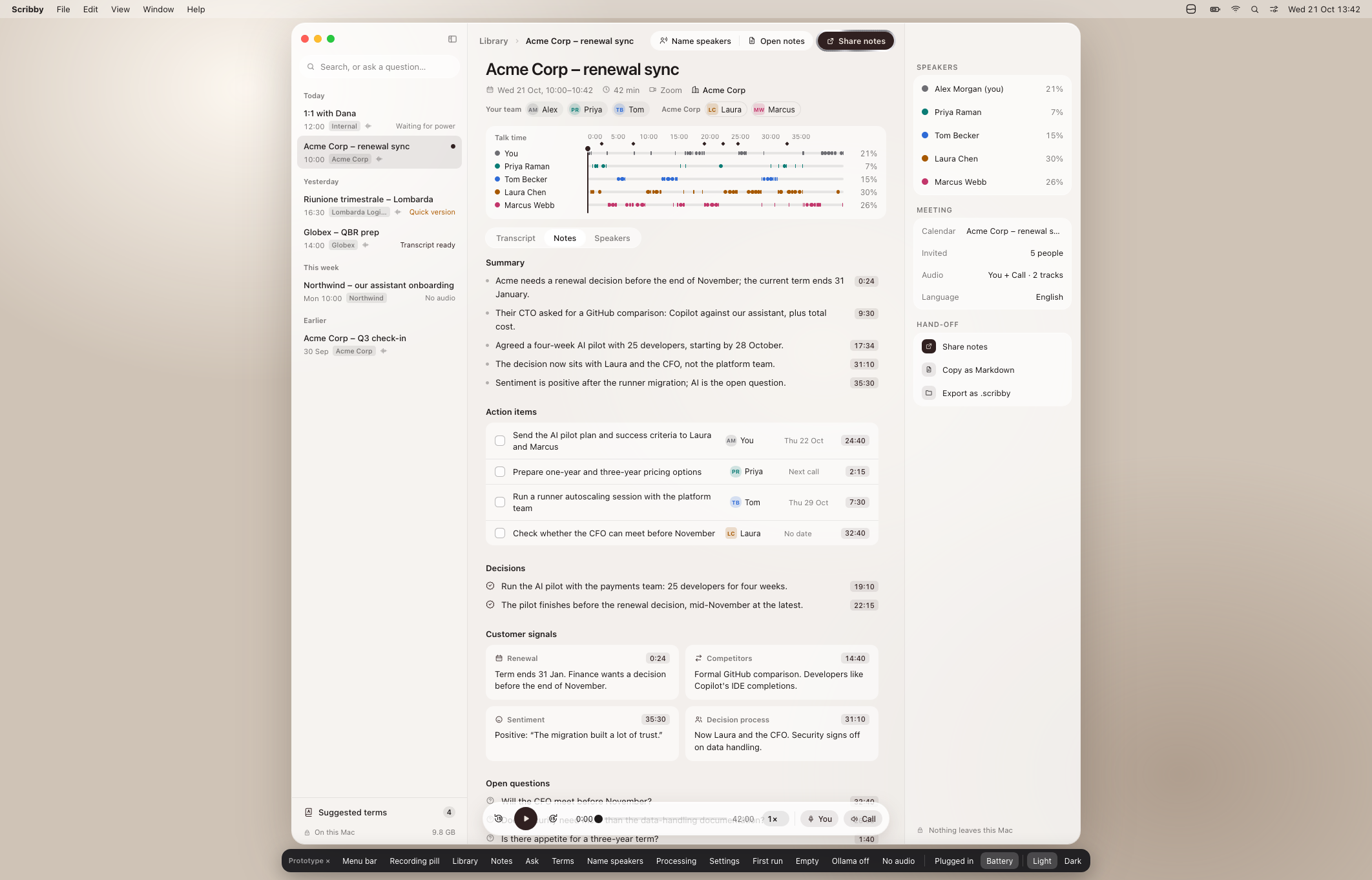
For one 41-minute call, the draft note took about two minutes on my laptop. That is an example from my testing, not a promise for every Mac or meeting. The models are downloaded once and run on-device; the download is substantial, roughly 17 GB in this build.
04 / Afterward
Will I find it in three weeks?
This question changed the product more than the first transcript did. I can send notes to Apple Notes, email them, copy Markdown, or export the meeting as a .scribby file. Those are different ways of making the result useful outside Scribby, but I still wanted to be able to come back to the original conversation.
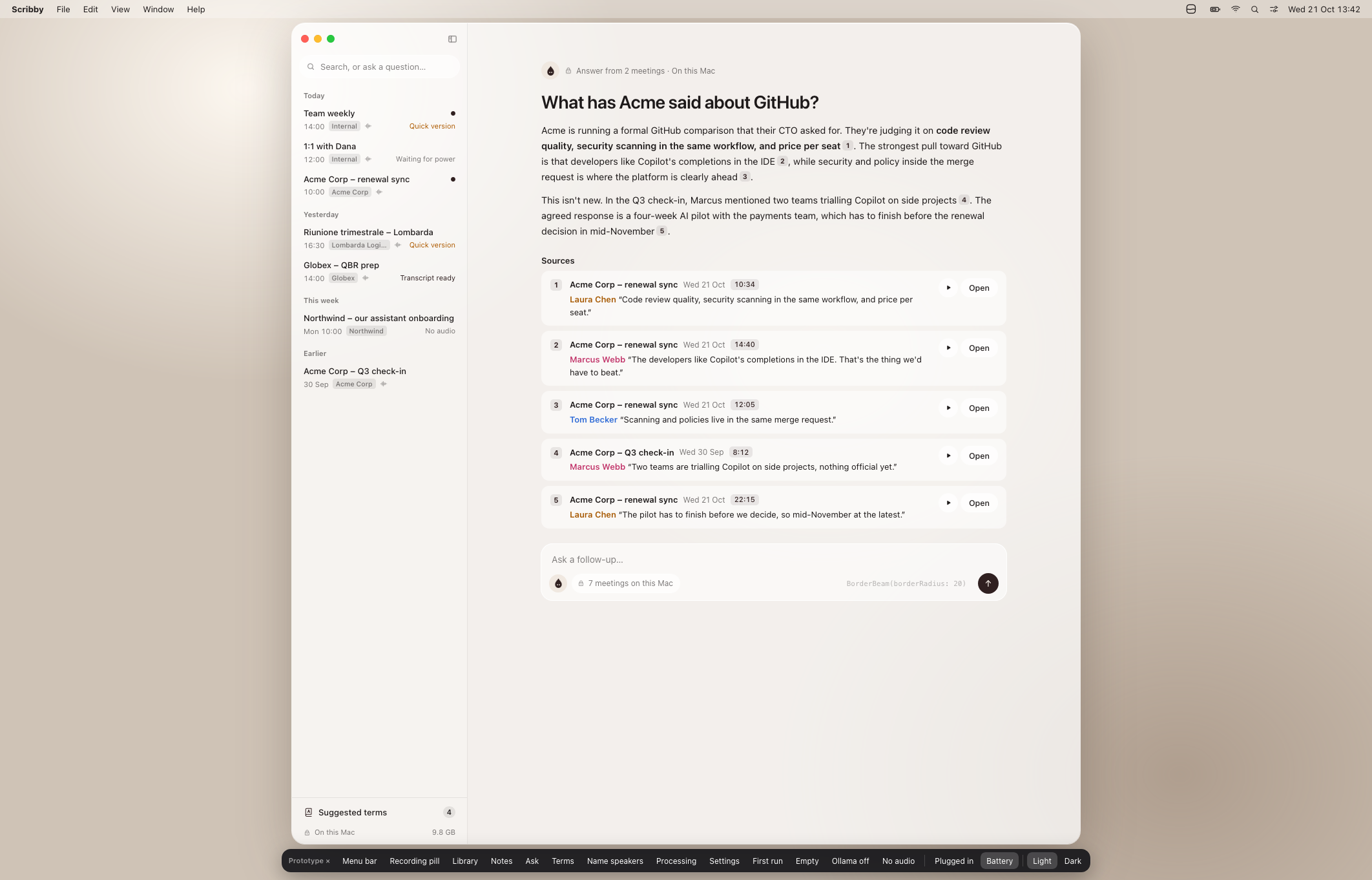
Quick find is deliberately plain: type a word or a person's name and see the matching lines across meetings. Ask Scribby is for the less literal question: “What did we decide about the pilot?” It answers from the meetings it finds and shows where the answer came from. I can follow a source back to the transcript rather than trusting a neat paragraph on its own.
Raycast is usually how I get around my Mac, so I built an integration instead of making myself open another window first. Search Meetings, Open Library, Ask Scribby, and Start or Stop Recording are the four commands I reach for. It came from a very simple bit of feedback: I kept reaching for Raycast anyway.
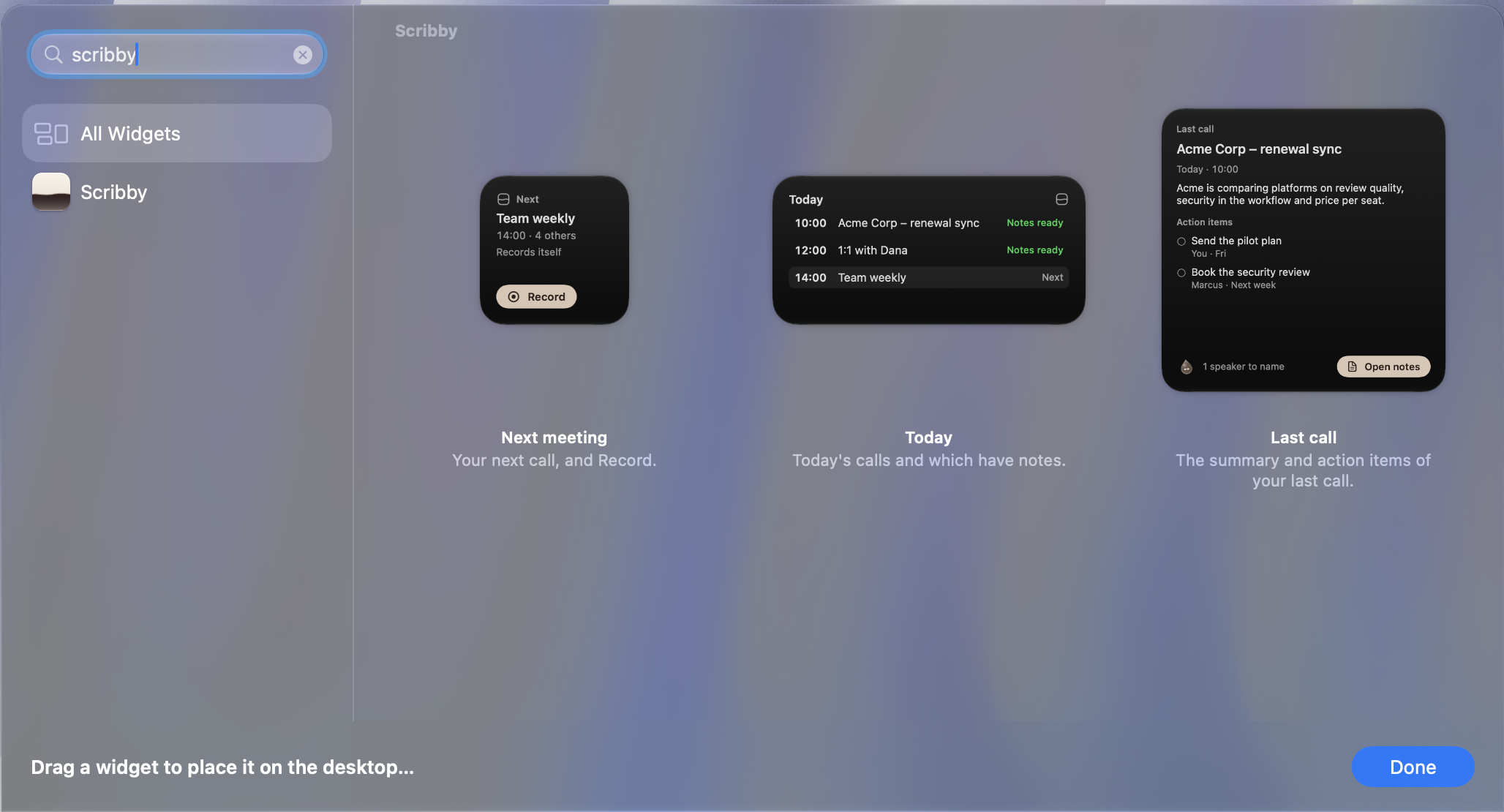
I built macOS widgets for the same reason. The small one shows the next meeting and a Record control; the medium one keeps today’s meetings and their status in view; the large one brings back the last call, including its action items. They make Scribby present where I already look, without asking me to live in its Library.
05 / The build
Using it showed me what to fix.
Getting a working version so quickly was exciting. It also meant I needed to judge it by what happened after an actual call, not by how good it looked in a demo. Each meeting showed me something I wanted to change. That back-and-forth shaped more of Scribby than the list of features I started with.
At one point the speaker percentages added up to more than 100. I thought the display was wrong, but overlapping speech had been counted twice. Another day, the Library was using almost half a CPU core while it sat idle. I liked the animated Drop, but it was making the whole window lay itself out on every frame. Drawing it separately brought idle use down to around half a percent in that test. I wanted the character to feel alive, just not at the expense of the laptop.
Speaker correction, source-backed answers, quick search and ways to share a note came from moments like those. I would reach the end of a call, find the step that still needed too much work, and make that step easier for the next one.
06 / Design
One mark didn't need to do everything.
Claude Design let me put different ideas next to each other instead of getting attached to the first one. I tried an interface that felt like warm paper, then one that was almost black, with a bright recording glow. The dark one looked dramatic, but I did not want to spend every workday in a dramatic interface. I came back to linen, umber and a simple page for the meeting itself.
The identity took a few more conversations. We explored four directions: Drop, an ink drop with a face; Orbit, voices gathered as points; Settle, speech becoming a line; and Level, ink resting beneath paper. Seeing each one as an app icon, a menu bar glyph and a tiny Finder icon changed how I judged it. I kept coming back to Level. It had the quietness I wanted for the app, and its surface could change to show what Scribby was doing.
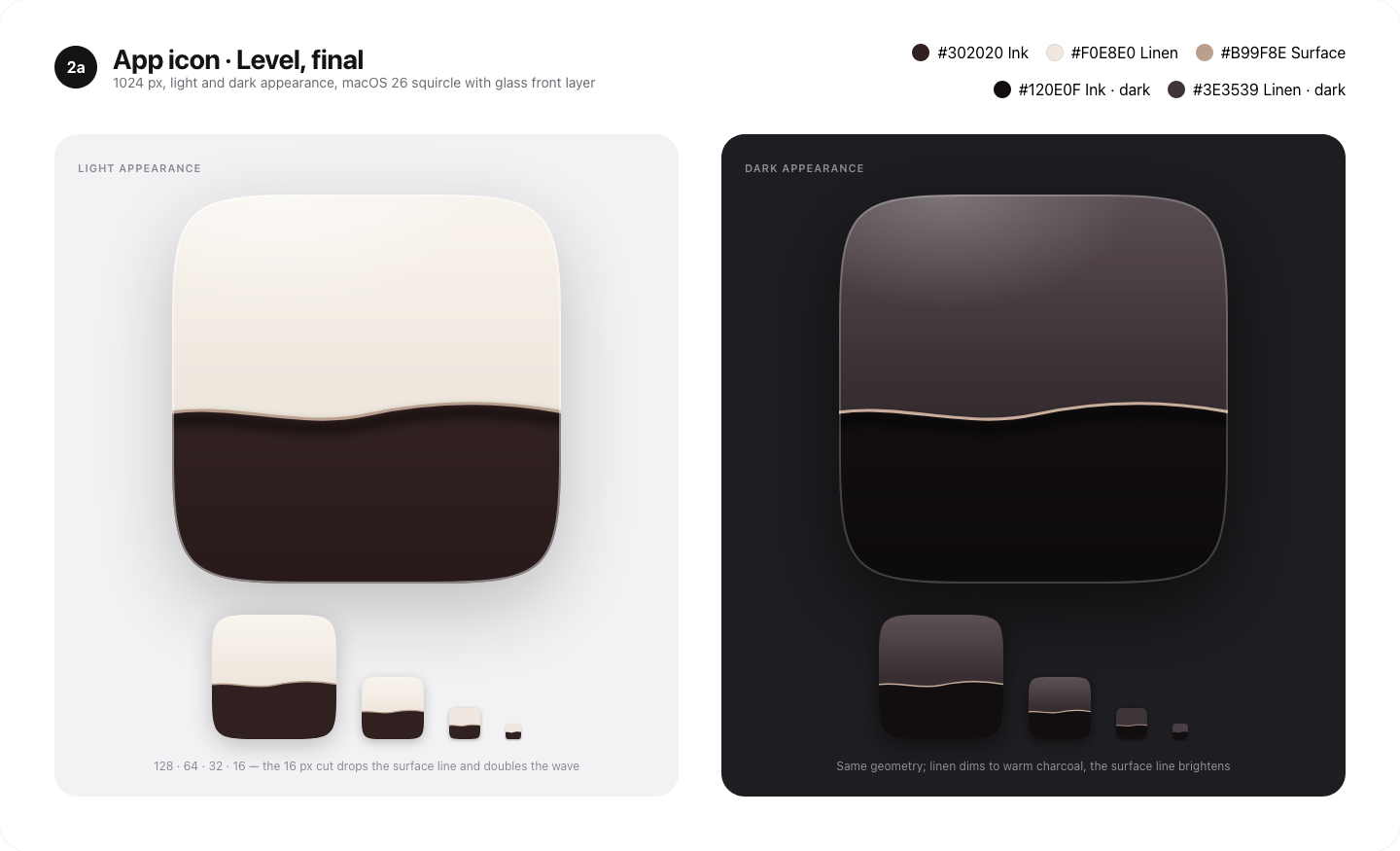
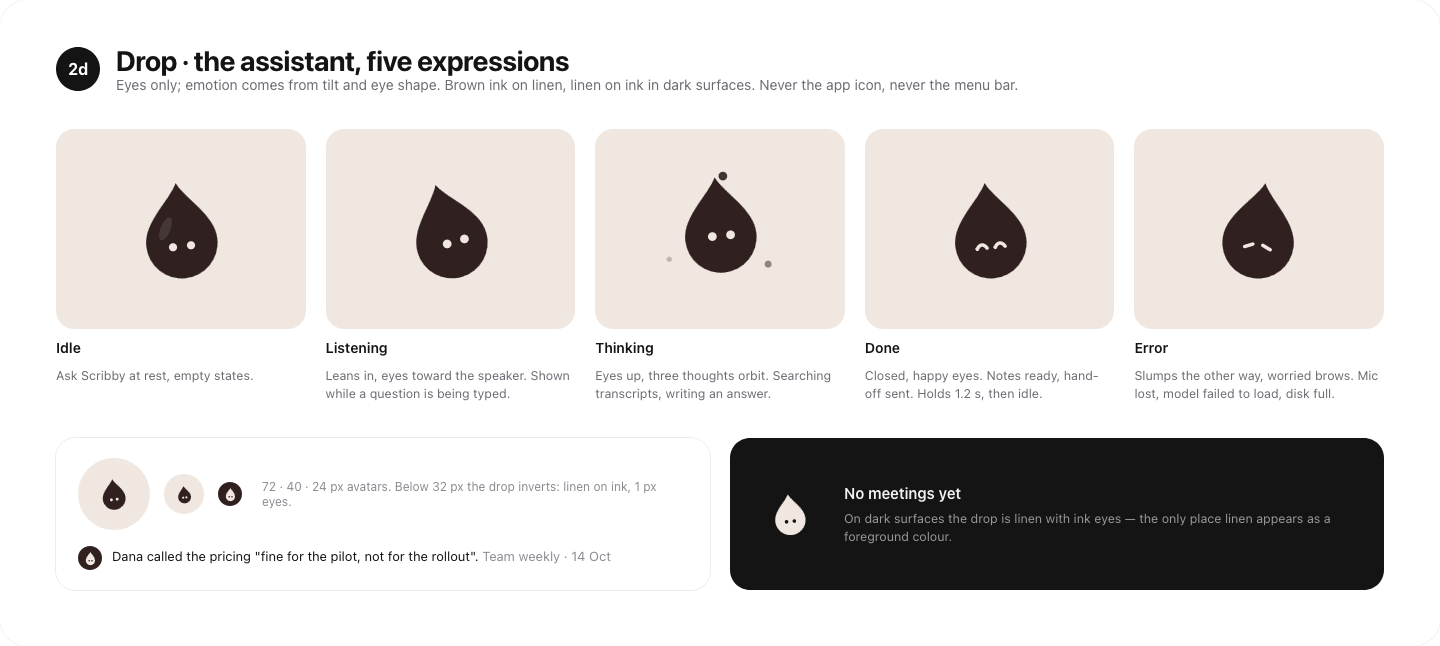
That did not mean losing the Drop. The useful decision was to stop asking one mark to be the brand, a status indicator and a character. Level belongs in the Dock and menu bar; Drop lives inside Scribby, especially in Ask and the empty states, where it has room to listen, think and react. They share the same ink-and-linen palette, so they still feel like parts of one app.
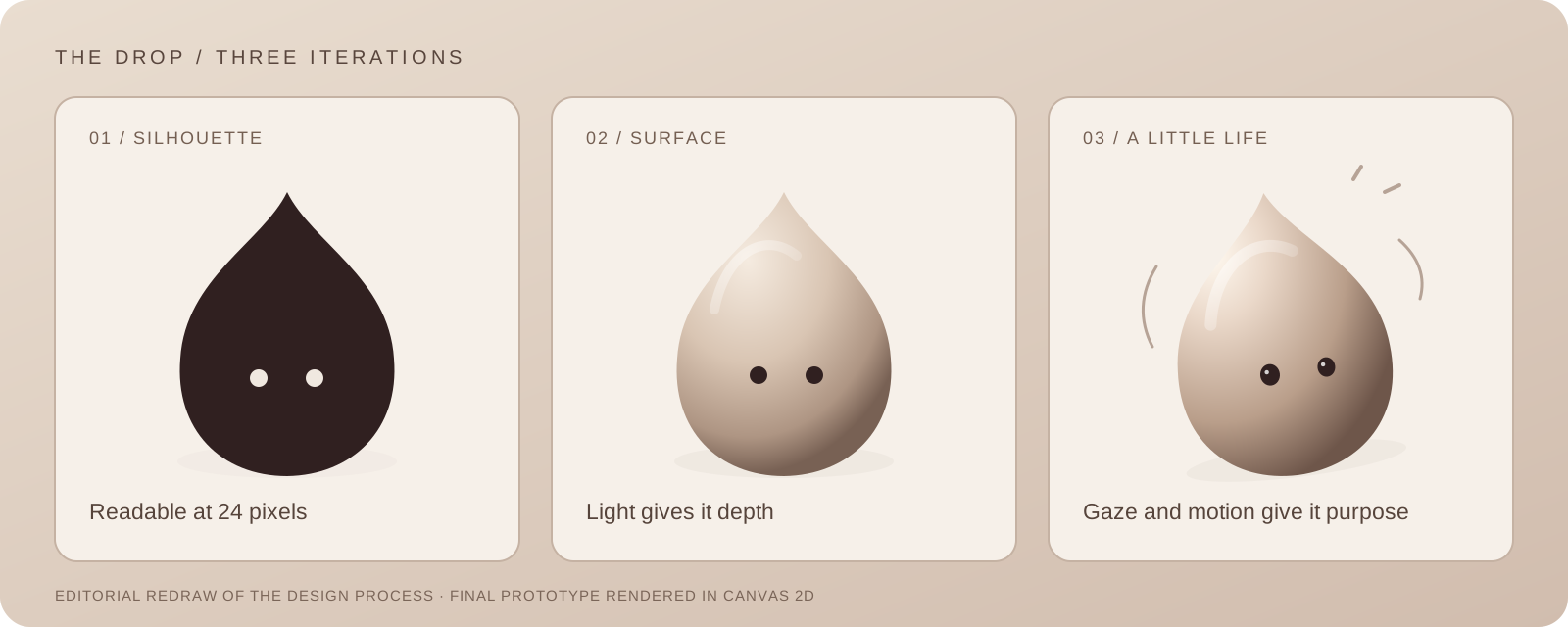
Getting there took more attempts than I expected. I tried a more elaborate character, then a flat little Drop, then several versions that gave it volume and light. The useful version kept the simple silhouette. Its eyes, highlight and shadow could move just enough to make it feel present. It is a 3D effect, drawn in a 2D canvas, rather than a 3D model that the rest of the app has to carry around.
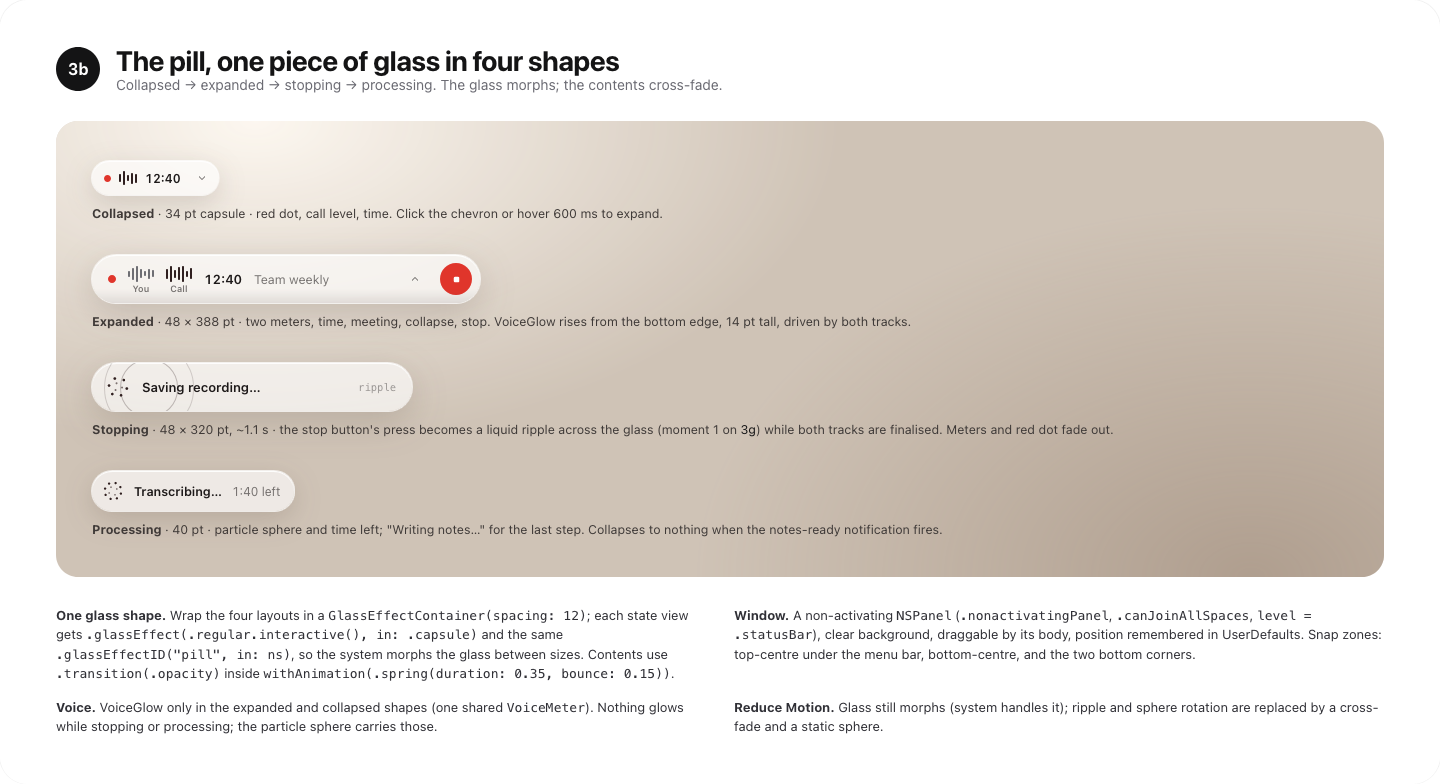
Animation worked best when it told me something. The recording pill changes shape as a call moves from ready to recording to processing; the Drop looks attentive when I ask a question and settles when the answer is ready. I kept a clear red recording control even when the rest of the motion became more expressive. The design notes also call for still versions when Reduce Motion is enabled. Those constraints made the movement more useful, not less interesting.
The first minute is part of the product.
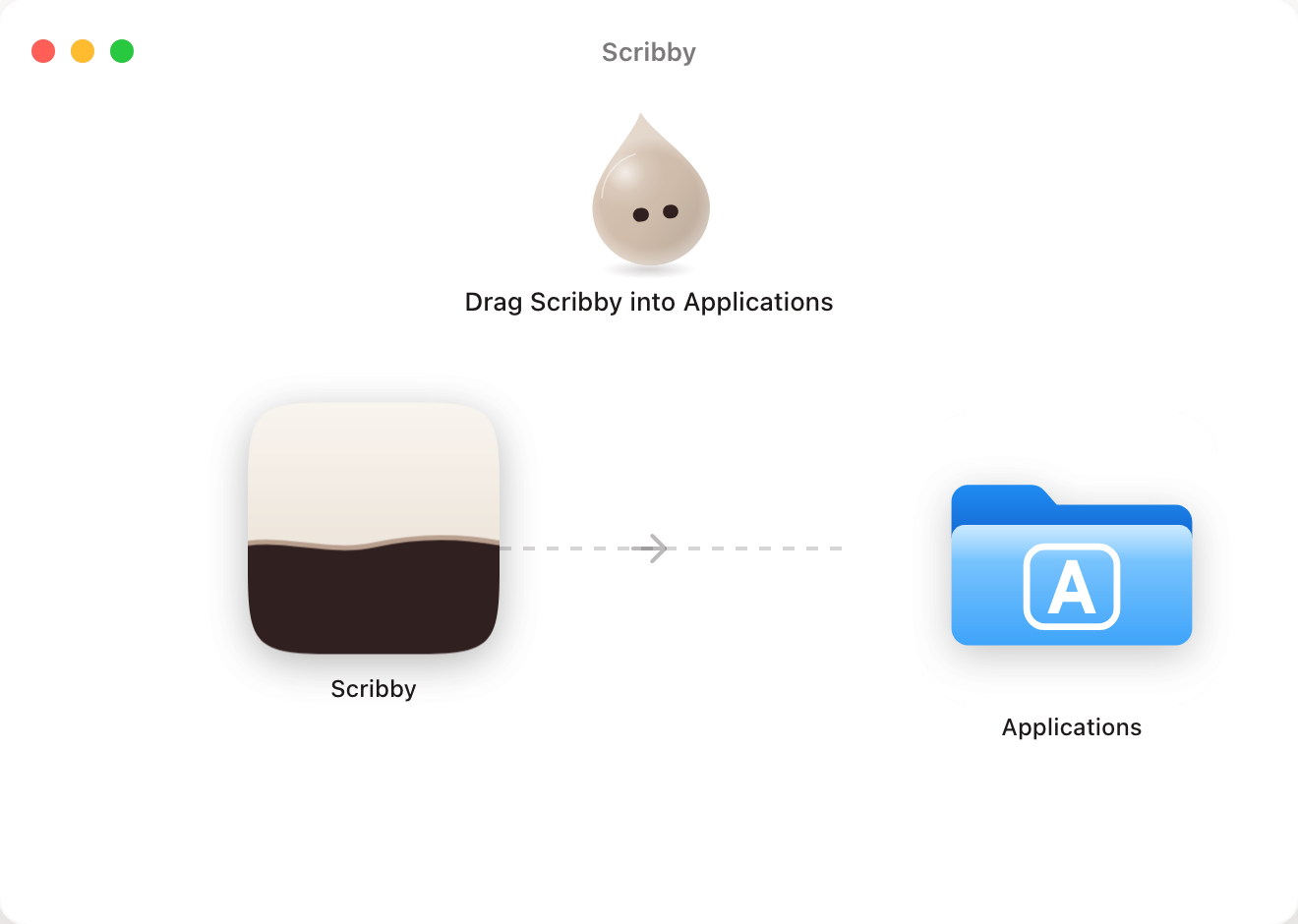
I also spent time on the part before the first meeting: getting Scribby onto a Mac. A standard drag-to-Applications disk image is familiar, so I designed one in the same linen and umber palette, with the app icon on one side and the real Applications folder on the other. It should make sense even if nothing moves.
The prototype tried a little more: the Drop watches the copy, then smiles when Scribby is installed. The practical lesson was where that animation belongs. Finder can show a custom background in a disk image, but it cannot animate it or run my app just because the disk image opens. So the handoff separates the static Finder window from an optional first-run experience inside Scribby. I would rather have an installation that works quietly than a delightful animation that breaks the familiar path.
I made a short film of the idea in motion, too. It shows how these separate states feel when they follow one another.
A one-minute film of the idea and interface. The article stands on its own if you would rather keep reading.
Scribby is not a finished product announcement. It is the tool I wanted, built through use. The test I keep coming back to is simple: after a call, can I see the decision, know who owns the next step, and move on without handing another service the whole conversation?
For the curious: what runs locally
How the audio is captured
The current build reads my microphone through Core Audio and the Mac's output through a Core Audio process tap. That avoids a virtual audio driver or a bot joining the meeting. Call detection can offer the recording workflow; whether it starts automatically depends on recording having been agreed upfront.
How it turns speech into notes
Speech recognition runs through Parakeet on MLX, followed by speaker diarisation and a local language model for the write-up and Ask. Search also uses a local embedding model. The model files download once and are roughly 17 GB in this build. I have mainly tested it on Apple silicon with 32 GB of memory.
What stays private, and what does not happen automatically
The meeting audio, transcript and analysis stay on my Mac during capture and processing. Exporting a file, adding a note to Apple Notes or emailing a write-up is a separate action with its own destination. Local processing does not remove the need to inform participants, apply the right recording policy, or decide what should be retained.
What still needs work
The app is young and has mostly been tested on my own calls. It is not notarised yet, so first launch needs macOS's Open Anyway flow. Speaker attribution and summaries need human checking, especially before sharing a note with others.